


Khan Academy Kids
4.66.41K Reviews
App Specs
- Version
- 9.0.2
- Updated On
- License
- Free
- Downloads
- 10,000,000+
- Developer
- Khan Academy
- Categories
- Education
- Platform
- Android, iOS
Screenshots
 Analysis by AppCompare
When I look at Khan Academy Kids, I see a learning app that works best as a friendly first stop for young children, not as a replacement for a teacher or a structured school program. Its focus on early reading, math, and phonics makes it useful for short practice sessions at home, while the playful presentation can help a child approach learning without feeling as if they have been given extra homework.
Where it fits in a child’s day
I would use it in small, purposeful bursts: a few activities while breakfast is being prepared, a story after school, or a calm activity during a wait. For example, if a child is beginning to recognize letter sounds, an adult can sit nearby, let the child try a phonics activity, and then ask them to spot that sound in a book or on a sign. That brief conversation turns screen time into a bridge to something away from the device.
That approach matters because a young child may tap through an activity for the animation or character rather than absorb the lesson. I would not treat an uninterrupted stretch in the app as proof of learning. Instead, I’d watch for whether the child can explain an answer, repeat a sound, or use a new idea in play. The app can provide practice; a parent or caregiver helps connect it to everyday life.
Choosing it over other learning options
Compared with a stack of workbooks, an interactive app can feel less like a test and give a child a more inviting way to try again. Compared with a general video app, it has a clearer learning purpose: the child is engaging with early literacy and numeracy activities rather than simply watching whatever appears next. The trade-off is that hands-on play, conversation, and shared reading offer kinds of interaction a screen cannot replace.
I’d choose it for a family looking for accessible early-learning practice without a subscription cost. Khan Academy is the developer, and the app is free; its Everyone age classification and intended audience of children ages 2–8 make the age range clear, though a two-year-old will usually need more help than an older child. The 4.6 average from around 55,000 ratings and more than 10 million installs suggest broad use, but those figures don’t tell me whether a particular child will enjoy its style.
A practical way to get more from it
Rather than handing over the device and leaving a child to wander, I’d choose one simple goal for a session: listen for a sound, count objects, or spend time with a story. Afterward, ask the child to show or tell you what they noticed. This makes it easier to see whether an activity is a good fit and gives you a natural stopping point before attention fades.
It can also help to alternate app activities with offline ones. Follow a counting activity by counting toys together, or read a paper book after a digital story. This keeps the app in a supporting role and gives children a chance to practice without tapping prompts. If the child becomes frustrated, I’d pause rather than push through; early learning should not turn into a struggle to finish a screen-based task.
Worth Reading Before You Choose

EA SPORTS FC Mobile 26 Is a Bigger Football Game, but It Takes Time

Flipboard Shows What News Apps Must Do Beyond the Feed

Switching to Android Auto Means Rethinking Your Driving Routine

Google Calendar Makes a Crowded Week Easier to Manage

Ludo King Makes the Most of the Minutes Between Plans

Baby Panda World Brings Quick Play to Modern Phones, but Its Game Library Feels Busy
Who may want a different approach
This is less suitable for families seeking a complete curriculum, formal instruction, or a tool that can take the place of adult guidance. It may also be a poor match for a child who finds bright, interactive screens distracting or who is already reluctant to use a device for learning. In those cases, a picture book, physical counting objects, or an adult-led activity may work better, with the app used only if the child responds well to it.
Caregivers should also keep expectations realistic about independence. A child may be able to navigate an inviting interface but still need an adult to choose an appropriate activity, explain a confusing prompt, or help stop at a sensible point. I’d try a short session together before deciding whether the app suits the child’s age, attention span, and current interests.
What’s the Buzz About Khan Academy Kids?
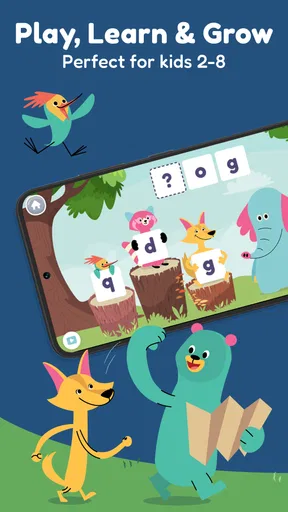
Right off the bat, Khan Academy Kids is an app focused on providing free educational content for young children. It’s packed with a plethora of activities that cover a wide range of subjects like math, reading, and even social-emotional learning. This isn't just another educational app; it’s more like a magical library where each corner hides a new adventure.
The app is designed for children aged 2 to 8, which means it’s perfect for preschool and early elementary school kids. It’s developed by learning experts to ensure that the content is age-appropriate and aligned with common core standards. The app’s creators have clearly put in a lot of effort to make learning fun and engaging, and it shows!
User Experience: Smooth and Engaging
From the moment you launch the app, you’re greeted with a colorful and inviting interface. The navigation is super intuitive, making it easy for kids to explore on their own. And let's be honest, as a parent or guardian, you’ll appreciate an app that doesn’t require constant supervision.
The app features a cute cast of characters that guide kids through their learning journey. These characters are not just for show; they interact with the children, offering encouragement and making the experience feel personalized. It’s like having a little digital companion who’s there to cheer them on every step of the way.
Content Galore: Learning Has Never Been This Fun
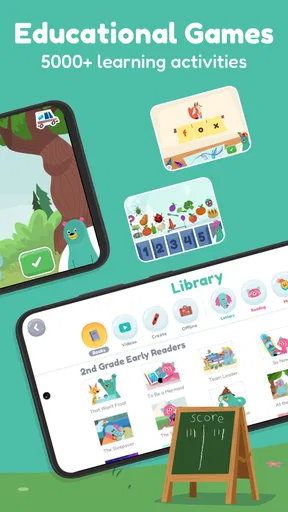
The wealth of content is one of the app’s standout features. There are thousands of activities to choose from, ensuring that kids never run out of things to do. The content is divided into different categories, making it easy to find activities that match your child's interests or educational needs.
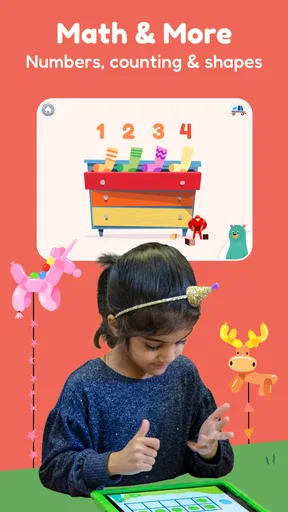
- Math Games: From counting to simple addition and subtraction, the math games are designed to build strong foundational skills. The interactive nature of the games ensures that kids remain engaged while learning essential math concepts.
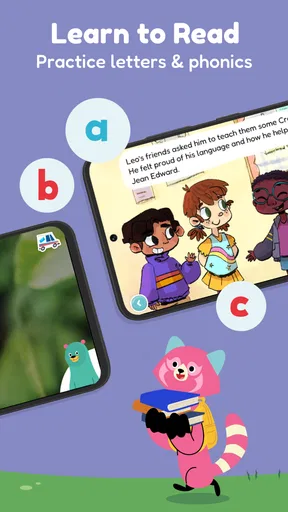
- Reading and Phonics: The app includes a variety of stories and phonics activities. Kids can practice reading with the help of interactive stories, making the process of learning to read enjoyable and stress-free.
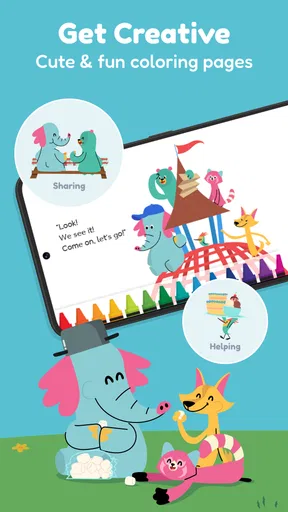
- Creativity and Imagination: Art and storytelling activities allow kids to express themselves creatively. It’s a wonderful way for them to develop their imagination while learning new vocabulary and concepts.
- Social-Emotional Learning: The app also focuses on teaching kids about emotions and how to deal with them. Activities in this section are designed to help children develop empathy and emotional intelligence.
Parental Controls and Reports: Keeping Track of Progress
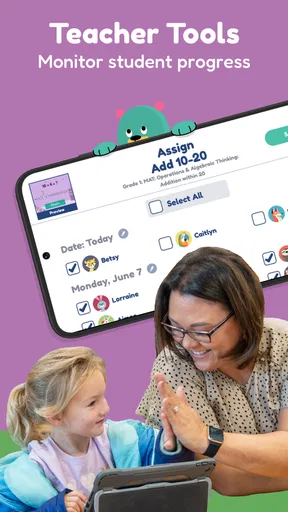
One of the things I love about Khan Academy Kids is the way it involves parents in the learning process. The app offers detailed progress reports, allowing you to keep track of your child's achievements and areas where they might need more help.
Parents can easily customize the app’s settings to suit their child’s needs. This includes setting learning goals and adjusting the difficulty level of activities. It’s a great way to ensure that your child is not only having fun but also learning at a pace that’s right for them.
Final Thoughts: A Must-Have Educational App
In the vast sea of educational apps, Khan Academy Kids stands out as a beacon of quality and innovation. It’s an app that manages to strike the perfect balance between education and entertainment. Whether you’re looking to supplement your child’s school learning or simply want them to have access to educational content at home, this app is a fantastic choice.
If you’re ready to give your child a head start in their educational journey, you can download Khan Academy Kids for free from the Google Play Store or the Apple App Store. It’s a decision you won’t regret!
Version, access, and what to keep in mind
The current version is 8.1.6, and the app was released on July 10, 2018. That gives parents a concrete point of reference for the product’s history, but a version number alone does not show which specific lessons or screens have changed over time. I’d judge it by how it works on the device in front of me and whether the child still finds the activities useful, rather than assuming every update changes the learning experience dramatically.
For existing users, the practical question is whether the app continues to fit a child’s current stage. A child who has moved beyond early phonics may need more advanced reading practice elsewhere, while a younger sibling may be ready to use the same app with an adult beside them. I’d revisit the child’s interests and skill level periodically instead of relying on familiarity as a reason to keep using the same activities.
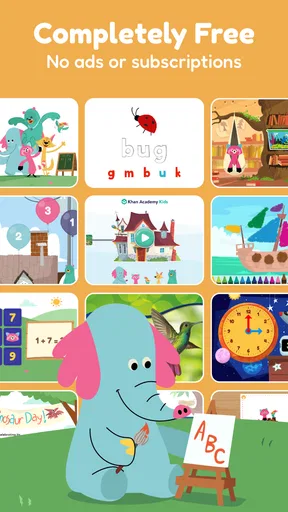
The no-ads, no-subscriptions approach is a welcome part of its appeal for families who want to avoid recurring charges and promotional interruptions. Still, “free” does not mean the app should be the only learning resource a household needs. A library book, conversation, outdoor counting game, or school activity can fill gaps that a digital lesson cannot, and mixing formats is a healthier way to use it.
Questions worth considering before handing it over
Will a child need help? In my view, often yes, especially at the youngest end of the age range or when an instruction is unfamiliar. Can it support learning at home? It can provide practice in early reading, phonics, and math, but I’d treat it as a supplement rather than a complete teaching plan. Is it suitable for every learner? No: a child who prefers physical materials or needs close, personal instruction may do better with books, toys, or guided activities.
What should a parent do if a child keeps tapping without engaging? I’d shorten the session, sit together, and connect one activity to a real-world example; if that still feels frustrating, switch to an offline task. What should families watch for as the app evolves? I’d focus on whether the content remains relevant to the child’s level, whether the interface stays comfortable for them to use, and whether the app continues to work as a useful complement to shared reading and play—not on version changes by themselves.
Pros
- Engaging educational content for kids.
- Interactive lessons with fun animations.
- Personalized learning paths available.
- Completely free with no ads.
- Encourages creativity and critical thinking.
Cons
- Limited content for older children.
- Requires internet for most features.
- No offline access to full courses.
- Some lessons may be repetitive.
- Limited language support beyond English.
FAQs for Khan Academy Kids
What is Khan Academy Kids and who is it for?
Khan Academy Kids is an educational app designed for children aged 2 to 7. It offers a wide range of interactive activities and lessons in subjects like literacy, math, and social-emotional development, making it ideal for preschool and early elementary students. The app is crafted to engage young learners through fun, interactive content.
Is Khan Academy Kids free to use?
Yes, Khan Academy Kids is completely free to use. There are no subscription fees, in-app purchases, or ads, ensuring a safe and uninterrupted learning environment for children. The app is funded by philanthropic donations, allowing it to provide high-quality educational content without any cost to the user.
What types of learning activities are available in the app?
Khan Academy Kids offers a diverse range of activities, including interactive games, books, videos, and creative lessons. These activities cover key areas such as math, reading, language, and social-emotional skills. The app uses a playful and personalized approach to help children learn at their own pace.
How does Khan Academy Kids ensure my child’s safety online?
Khan Academy Kids prioritizes child safety by not collecting any personal information from children. The app is free from ads and external links, ensuring that kids remain in a secure, educational environment. Parents can rest assured that their child’s learning experience is safe and private.
Can parents track their child’s progress in Khan Academy Kids?
Yes, Khan Academy Kids provides tools for parents to monitor their child’s progress. The app offers a parent dashboard where you can view your child’s achievements and areas of improvement. This feature helps parents stay involved in their child's learning journey and tailor support to specific needs.


